Heads up! To view this whole video, sign in with your Courses account or enroll in your free 7-day trial. Sign In Enroll
Well done!
You have completed Practice Sketching!
You have completed Practice Sketching!
Preview
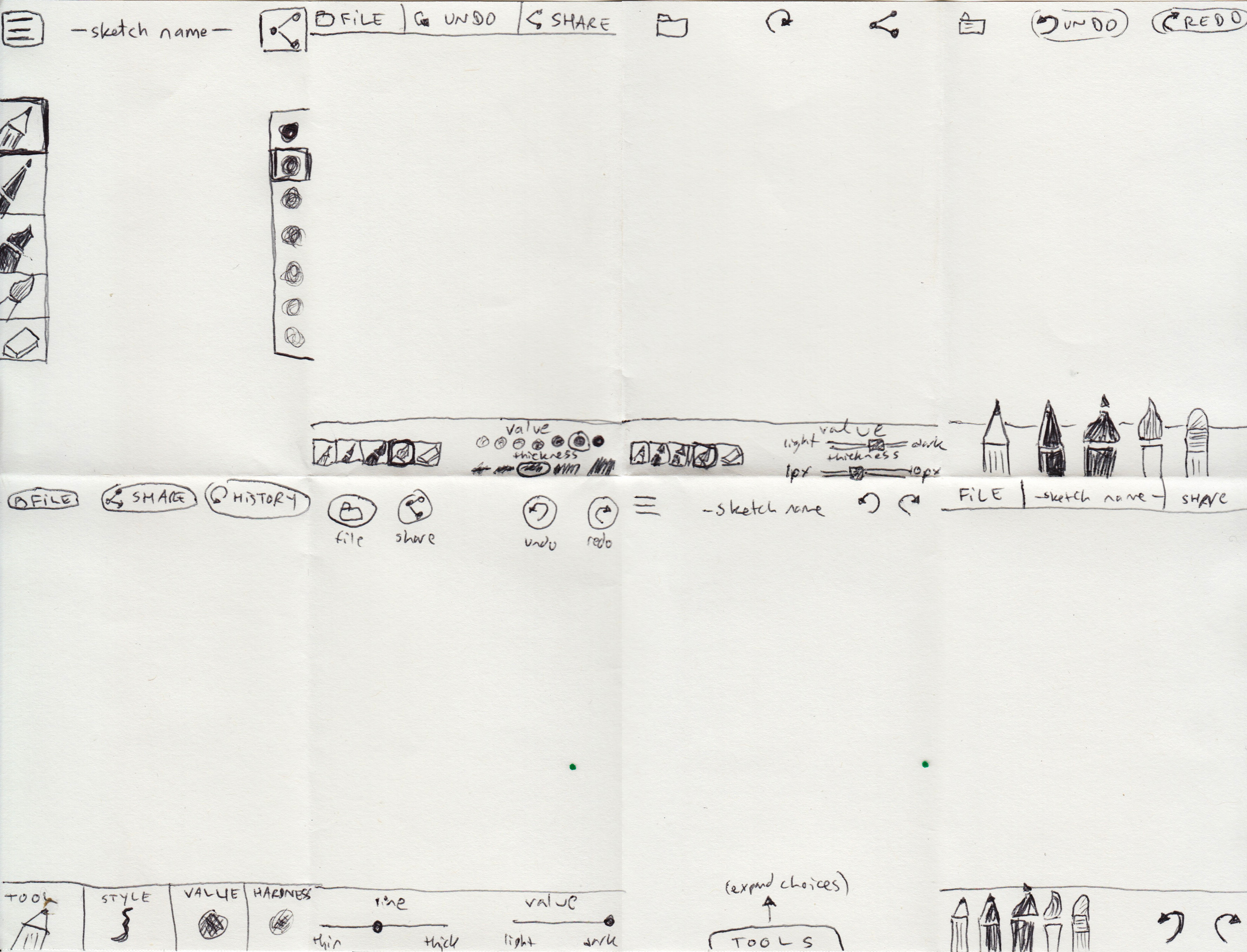
Here's one solution for creating eight rough sketches for the primary screen of a sketching application.
Related Discussions
Have questions about this video? Start a discussion with the community and Treehouse staff.
Sign upRelated Discussions
Have questions about this video? Start a discussion with the community and Treehouse staff.
Sign up
Here is my completed sketch.
0:00
In my first sketch,
I use the hamburger icon
0:03
to indicate the File menu,
though I'm a bit wary of that solution.
0:06
I'm not sure users will
know what to expect there.
0:12
I placed the drawing tools like a pencil,
pen, marker, brush and
0:16
eraser on the left,
plus a value picker on the right.
0:22
The Share button is in
the upper right corner.
0:29
You need to sign up for Treehouse in order to download course files.
Sign upYou need to sign up for Treehouse in order to set up Workspace
Sign up